How to create an llms.txt — the honest guide.
The file takes an hour and makes your website readable to ChatGPT, Perplexity & co. like a table of contents. What belongs in it, what doesn't — and what it honestly can't do.
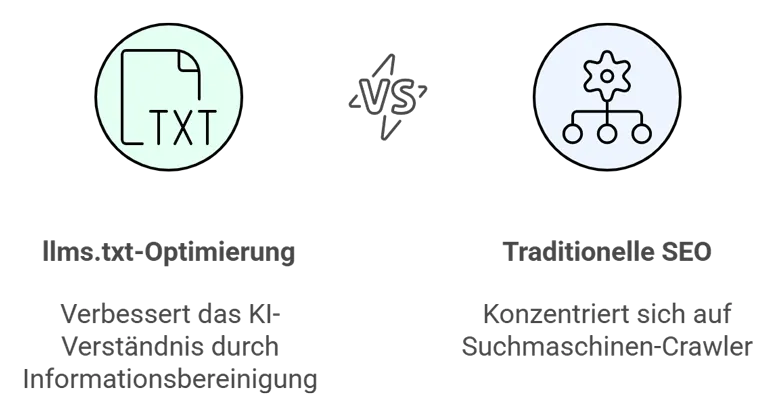
An llms.txt is a plain text file in the root of your website (yourdomain.com/llms.txt) that tells AI systems, in curated form, what your company does, for whom — and where the most important content lives. It takes about an hour to write, costs nothing, and is the fastest single step a website can take towards GEO.
This post is the complete guide: format, content, common mistakes — and the part most guides leave out: what the file does not do.
What an llms.txt is — and where it comes from
The proposal comes from Jeremy Howard (Answer.AI), published in September 2024 and documented as an open standard at llmstxt.org. The idea in one sentence: robots.txt tells crawlers where they may go — llms.txt tells AI systems what is worth reading.
The background is a technical problem. Language models that look things up live (Perplexity, ChatGPT with search, Copilot) have a limited reading budget per query. A modern website consists of navigation, cookie banners, scripts and markup — the actual content is tedious for a machine to extract. An llms.txt delivers the essence pre-filtered: pure Markdown, no menus, no pop-ups, no packaging.
Why now — and why with sober expectations
Two things are true at the same time, and honest advice names both:
- The channel is growing. A growing share of buying research starts in AI assistants instead of on a results page — we covered this in detail in our post on AI access. Answer engines cite sources they can read quickly and reliably. Machine readability is the entry condition.
- The file is not a Google ranking lever. Google has stated clearly that AI Overviews require no special files or markup — what counts there is the same quality work as for classic search. An llms.txt addresses the other engines: Perplexity, ChatGPT, Claude, Copilot. Anyone selling you the file as an “AI SEO guarantee” is selling a promise nobody can keep.
Our assessment: effort one hour, risk zero, benefit growing. That is the kind of bet you take.
The guide: step by step
Step 1 — Set up the structure
The format is deliberately simple: one Markdown file with a fixed basic structure.
# Company name

> One paragraph describing the company in 2–4 sentences:
> what you do, for whom, where. This is the text an AI will
> use to describe you — write it accordingly.

## Core services

- [Service 1](https://yourdomain.com/service-1): One sentence on what it delivers.
- [Service 2](https://yourdomain.com/service-2): One sentence on what it delivers.

## Who we work for

Audiences and industries — concrete, not generic.

## Contact

- Email: hello@yourdomain.com
- Contact page: https://yourdomain.com/contact
- Location: City, Country
Three format rules that actually matter: one H1 (the company name), directly below it a blockquote as the short description, then H2 sections with link lists. Every link gets a one-sentence description — the AI should know what to expect behind a link before following it.
Step 2 — Select content: curate, don’t copy
The file is a table of contents, not a sitemap. What belongs in it is what a stranger would need to describe and recommend you correctly:
- What you do — services with one precise sentence each, with numbers where you have them.
- For whom — industries, company sizes, region. “DACH Mittelstand, dentists and law firms” beats “clients of every size”.
- How to reach you — email, contact page, location.
- Your most important pages — services, pricing, about. If pricing is public: link it. AI agents comparing providers skip what they cannot read.
What does not belong: every single URL, marketing filler (“innovative”, “holistic”), and anything that goes stale faster than you will maintain the file.
Step 3 — Take the file live
Place llms.txt in the root so it is reachable at yourdomain.com/llms.txt with status 200 as plain text. On most systems that simply means: put the file in the public folder (public/, static/, webroot). No plugin required.
Step 4 — Open the door that goes with it
An llms.txt is useless if the robots.txt next to it locks the AI crawlers out. Check whether GPTBot, OAI-SearchBot, ClaudeBot, PerplexityBot and Google-Extended are allowed to read your website — many security plugins and CDN defaults block everything that isn’t called Googlebot. Our AI access check verifies both in ten seconds: the door and the table of contents, live, no signup.
Step 5 — Maintain it like your price list
A stale llms.txt is worse than none: it actively feeds AI systems wrong information about your company. Our rule: the file gets updated with every change to services, pricing or contact details — which is why ours lives in the code repository next to the website, not in a forgotten FTP folder.
The next level: Markdown versions of entire pages
The standard provides for a second tier: besides the table of contents, every important page can get its own Markdown version at the same address plus .md. That is exactly how we do it ourselves — seo216.com/en/services.md is the machine-readable version of our services page, and every post on this blog also exists as an .md twin, linked in the <head> of each page. For an answer engine, that is the difference between “photographing through a shop window” and “being handed the catalogue”.
This is part of our GEO & SXO pillar: access, structure and citability as one system — not as a collection of files.
The four most common mistakes
- HTML instead of Markdown. The file must be plain text. Creating it as a CMS page often ships an HTML page under a false name — our check detects exactly this case.
- Copying the sitemap. 400 uncommented URLs are not context, they are noise. Curating means leaving things out.
- Write and forget. Outdated services, dead links, old prices — the file then describes you incorrectly, with a stamp on it.
- Maintaining llms.txt, ignoring robots.txt. The table of contents is on display, but the door is locked. The two get checked together.
What the file can’t do — and what comes after
An llms.txt makes you readable. It does not automatically make you citable. Whether ChatGPT actually recommends you is decided by your content: clear answers in the right place, sourced numbers, named entities, clean schema markup — the work we call LLM citation and measure monthly per engine.
The honest roadmap in three steps: first check for free whether your website is open to AI. Then create your llms.txt with this guide — one hour, once. And if you want to know whether and where you are already cited today, and who gets recommended instead: the full audit answers exactly that, within 24 hours, free.